Free Family Tree Maker: Create Your Family Tree Online
Every family has a story worth preserving. Start with yourself, add parents, grandparents, children and siblings, and watch your family tree grow with every generation. Second marriages, half siblings and adoption are recorded correctly, and you can print, download or share it when you’re ready.
Continue my tree on this device →100% free · No sign-up needed · Works on phones, tablets and computers
Create a family tree online in minutes
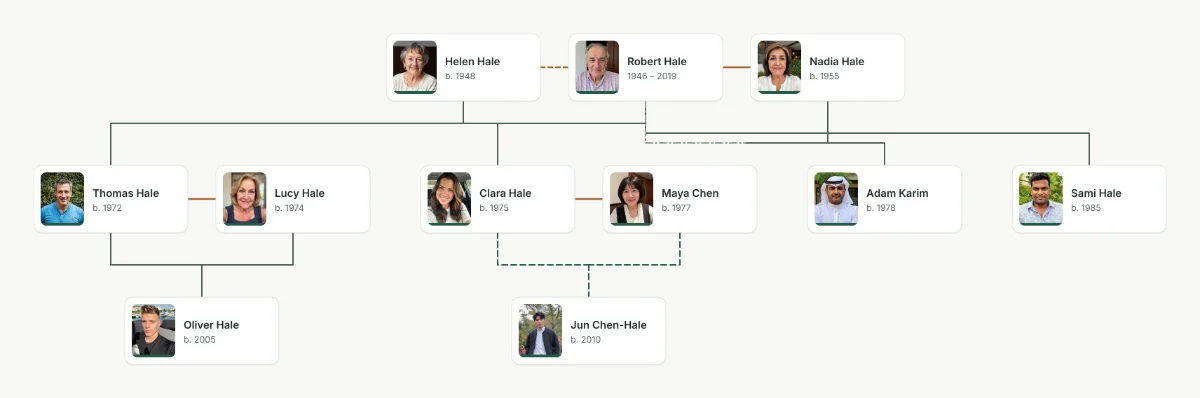
Creating a family tree doesn’t have to involve complicated charts, spreadsheets or hours of drawing boxes by hand. With an online family tree maker you type names and choose how people are related; the tree lays itself out, draws the lines and keeps each generation on its own row.
A family tree shows how the people in a family are connected across generations: parents and children, grandparents, brothers and sisters, spouses and partners, cousins, aunts, uncles and anyone else you want to remember.
Our family tree creator works the same way for a small three-generation chart as for a family history with hundreds of people. Start with one person and expand your tree as you gather more names, dates and stories.
Make your own family tree, your way
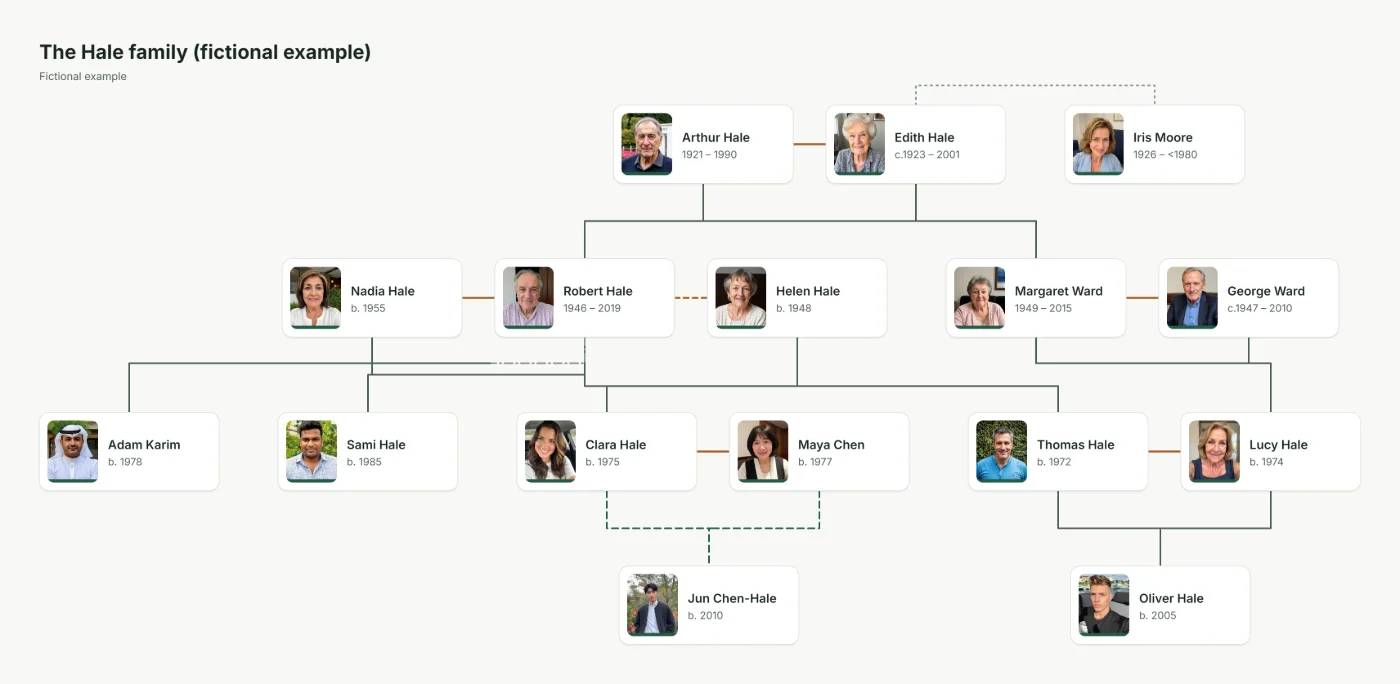
Every family is unique, and your family tree should reflect that. Begin with your immediate family, build a multigenerational chart of your ancestors or map a large extended family. Drag cards where you want them, fold away branches you are not working on, and switch between eight print styles without retyping a single name.
Why use our online family tree maker?
It is built for real families, not tidy diagrams, and for people who want to keep and print the result.
-
Easy-to-use family tree creator
No design skills needed. Select a person and add a parent, partner, child or sibling; only a name is required. The layout, lines and spacing are done for you.
-
Organise multiple generations
Bring great-grandparents, grandparents, parents, children and grandchildren together in one family tree, and fold away any branch to focus on part of the family.
-
Complex families, drawn correctly
Remarriage, half and step siblings, adoption, fostering, guardians, same-sex couples and single parents. A partner never becomes a parent automatically.
-
Print and download it your way
Download a PDF, PNG, JPEG or SVG in eight styles, on A4 or US Letter up to A1 posters, on one page or tiled across several sheets.
-
Turn your tree into a video
Create a short animation that reveals each generation in turn, in wide, square or vertical format for phones, family groups and reunions.
-
Photos and family stories
Give each person a photo, birth and death dates and places, an occupation, notes, life events and sources, so the family history stays with the names.
-
Update your tree as it grows
Add newly found relatives, correct a date or merge someone entered twice. Every change can be undone, and dates like “abt 1923” stay as uncertain as they really are.
-
See how anyone is related
Pick two people to get the relationship in plain words, such as second cousin once removed, and the path of parents that connects them.
-
Private by default
Without an account your tree stays in your browser and is never uploaded. Share links hide living relatives unless you choose otherwise.
GEDCOM in and out
Import a .ged file from another genealogy program, or export GEDCOM 5.5.1 or 7.0, with a clear list of anything that cannot be carried over.
Hindi, Urdu and more
Names in Devanagari, Arabic script and other alphabets are shaped correctly on screen and in every download. Make a shajra nasab in Urdu.
Works on any device
Use it in the browser on a phone, tablet or computer. There is nothing to install.
How to make a family tree: a step-by-step guide
Wondering how to make a family tree? Start with what you know about your immediate family and work backwards one generation at a time. In this family tree maker, it looks like this:
-
Step 1
Start with yourself
Enter your name. Your birth date and birthplace are optional; you can add them now or later.
-
Step 2
Add your parents and siblings
Select your card and add your mother and father, then your brothers and sisters. Each one is linked to you as you add them.
-
Step 3
Include grandparents and earlier generations
Add each parent’s parents, then your great-grandparents. Family records, old photos and conversations with older relatives fill the gaps.
-
Step 4
Connect partners, children and the wider family
Add spouses, children, aunts, uncles and cousins. When someone has more than one partner, you choose which parents each child has.
-
Step 5
Review and verify your information
Check names, dates and relationships. Write uncertain dates as “abt 1923”, add sources and notes, and use Tree health to find people entered twice.
-
Step 6
Save, print and share your family tree
Your tree saves automatically. Download a complete backup, print a PDF or image, or send relatives a read-only link.
Different types of family trees you can create
Enter your family once, then choose the chart that fits the occasion. Changing the chart or the style never changes the family data.
-
Ancestor family tree
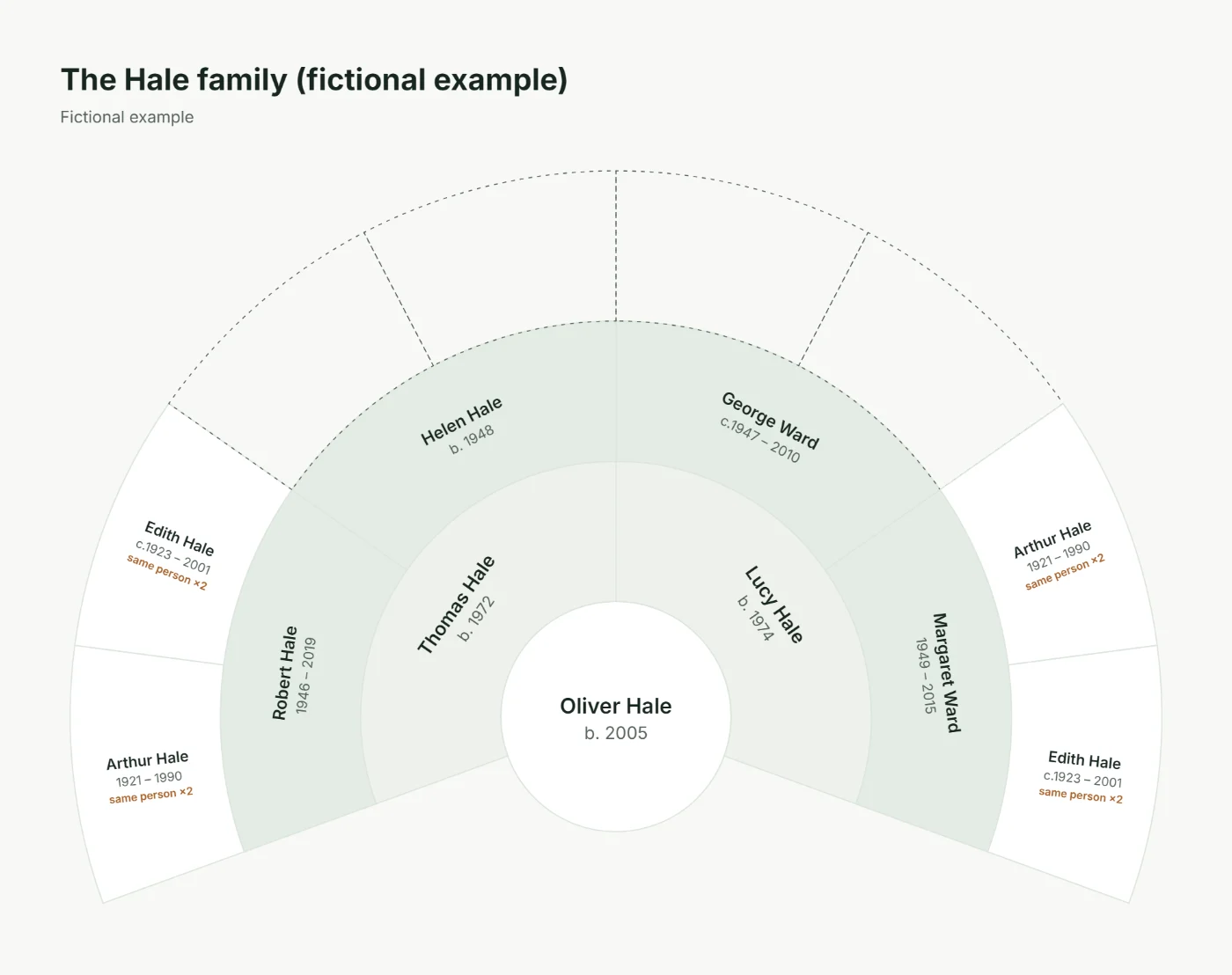
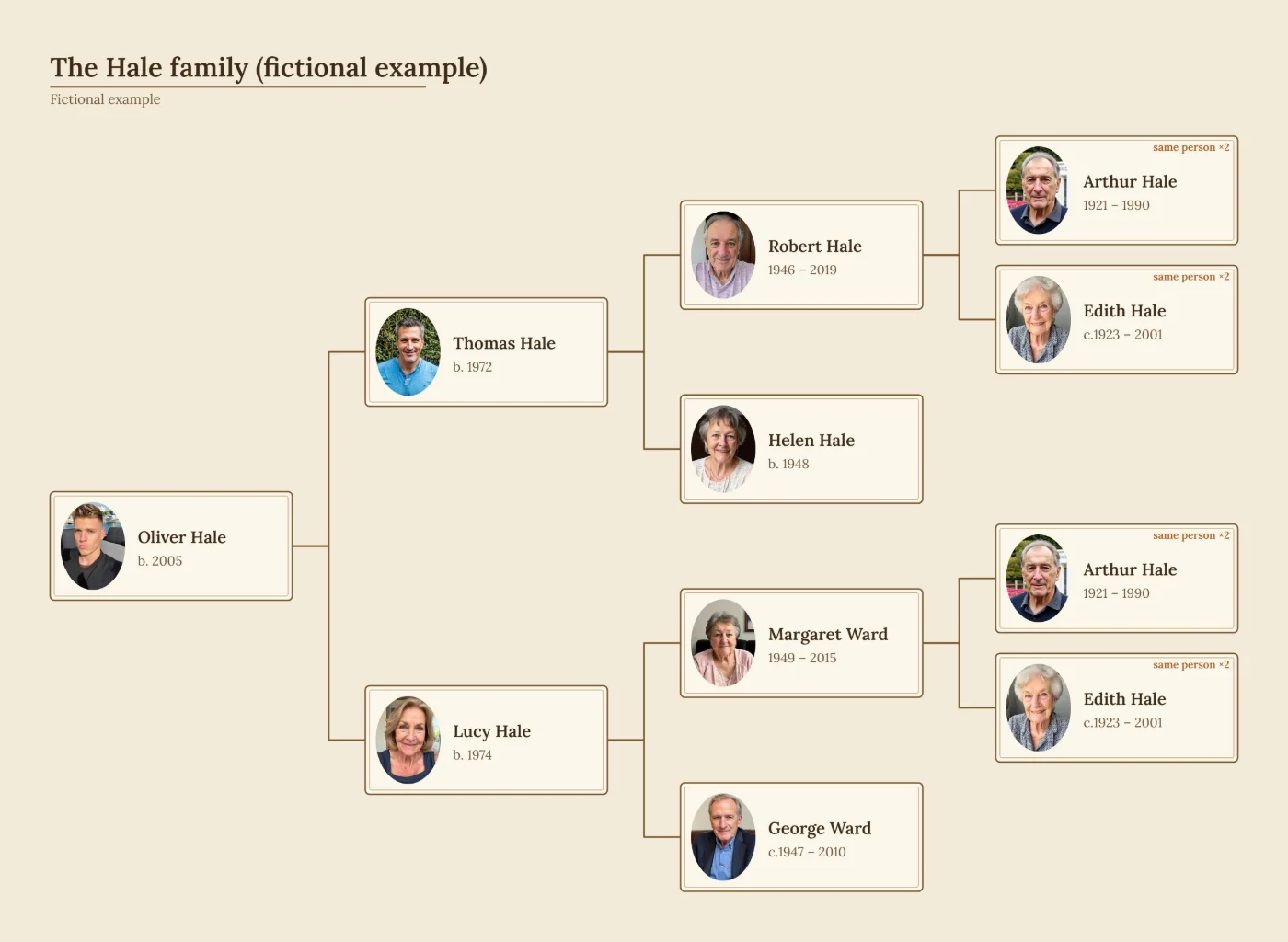
Trace your line back through parents, grandparents and great-grandparents, as a classic pedigree chart or a half-circle fan chart of 3 to 7 generations.
-
Descendant family tree
Begin with an ancestor or a couple and follow their children, grandchildren and later generations. One setting downloads only one person’s descendants.
-
Three-generation family tree
Grandparents, parents and children on a single page: ideal for beginners, gifts and school projects.
-
Extended family tree
Include aunts, uncles, cousins, nieces, nephews and relatives by marriage, with every branch connected to the right parents.
Printable family tree templates
All templates and paper sizes →Prefer pen and paper? Download a blank family tree template as a free PDF, or open it in the editor, fill it in on screen and print it with your family’s names.
-
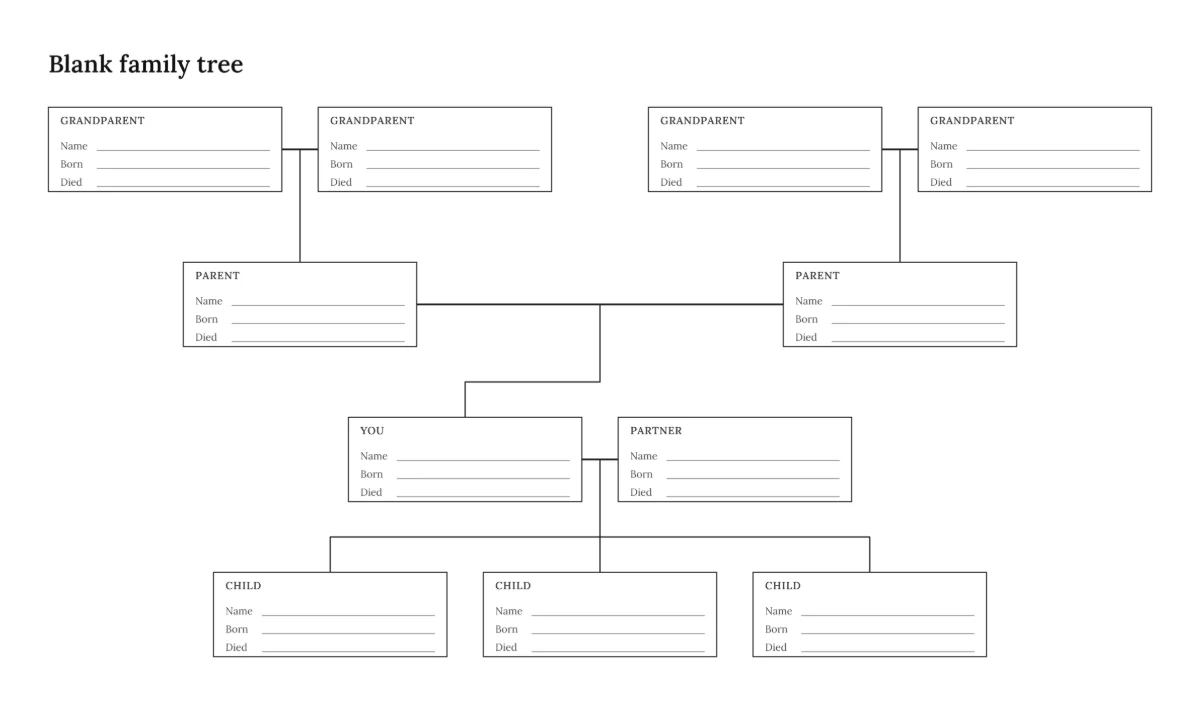
Blank family tree
Grandparents, parents, you, a partner and three children.
-
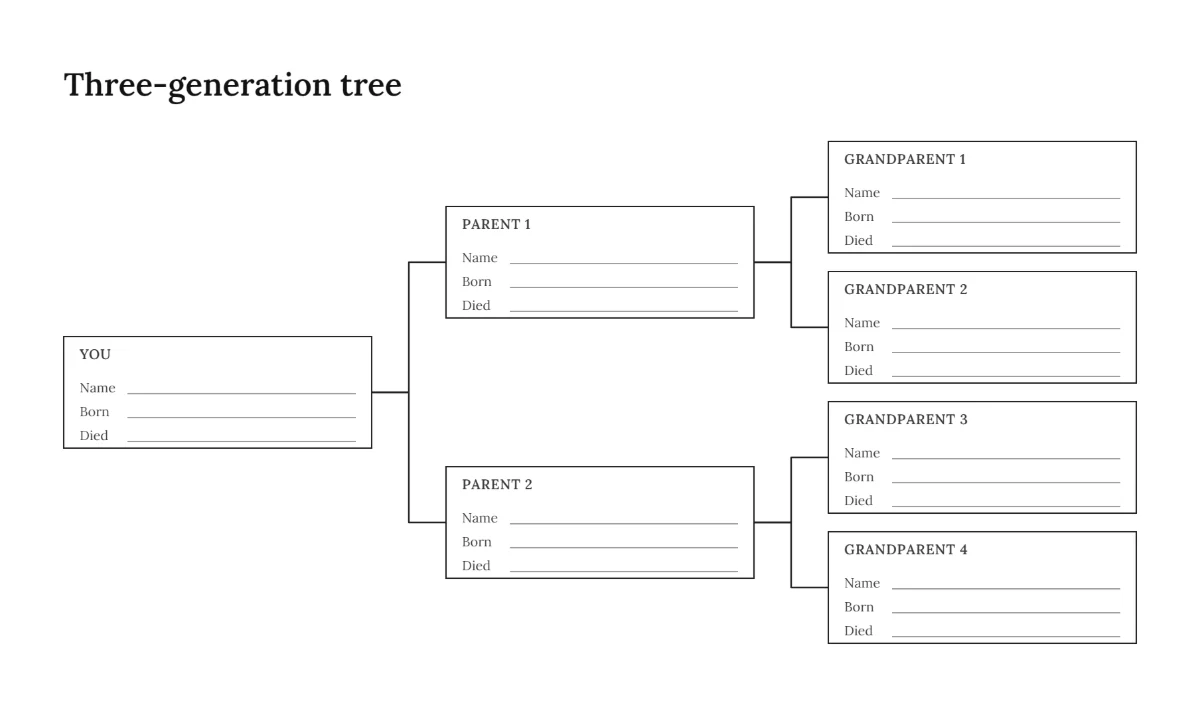
Three-generation family tree
You, your parents and your four grandparents.
-
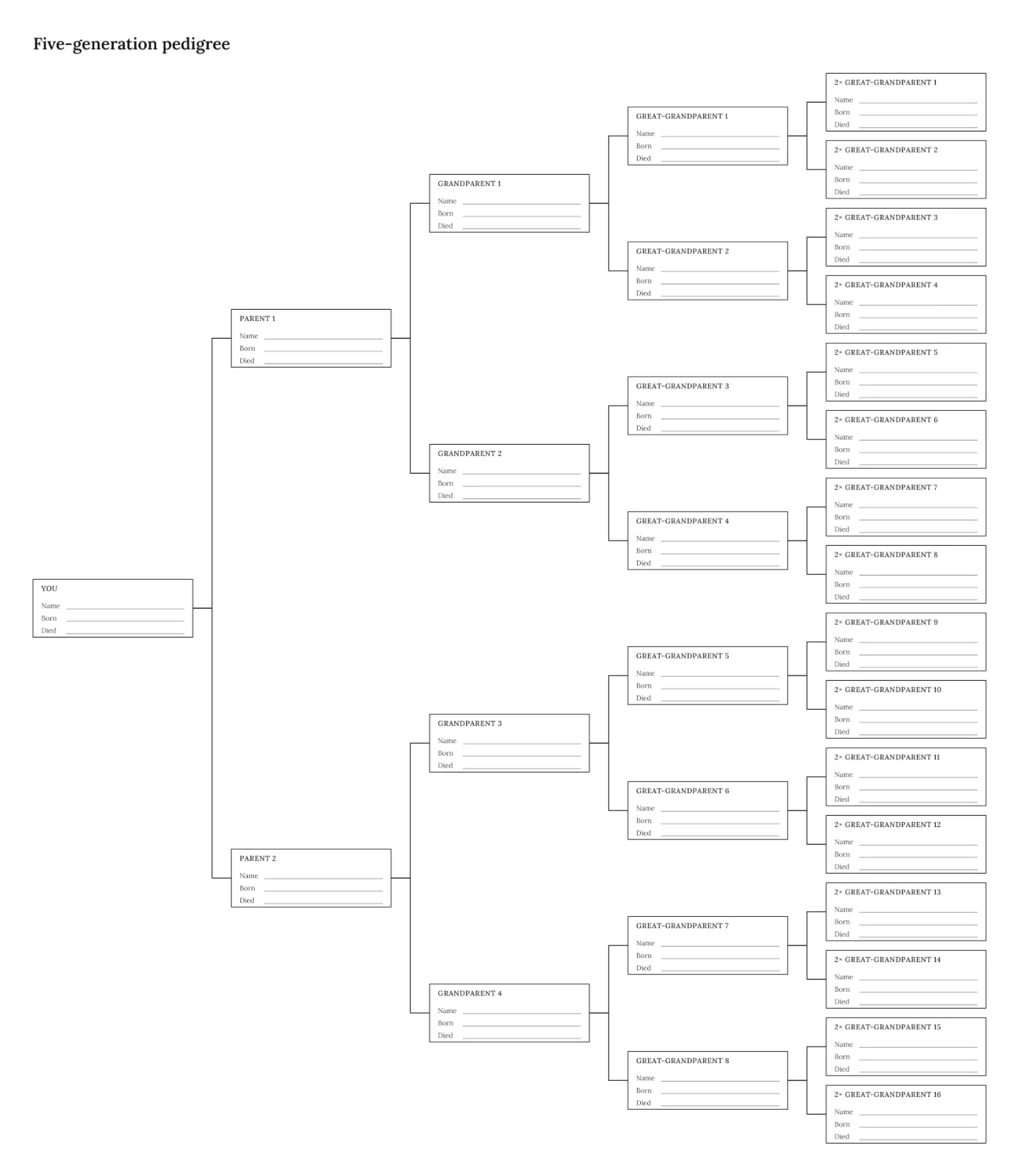
Five-generation family tree
31 boxes back to your great-great-grandparents.
-
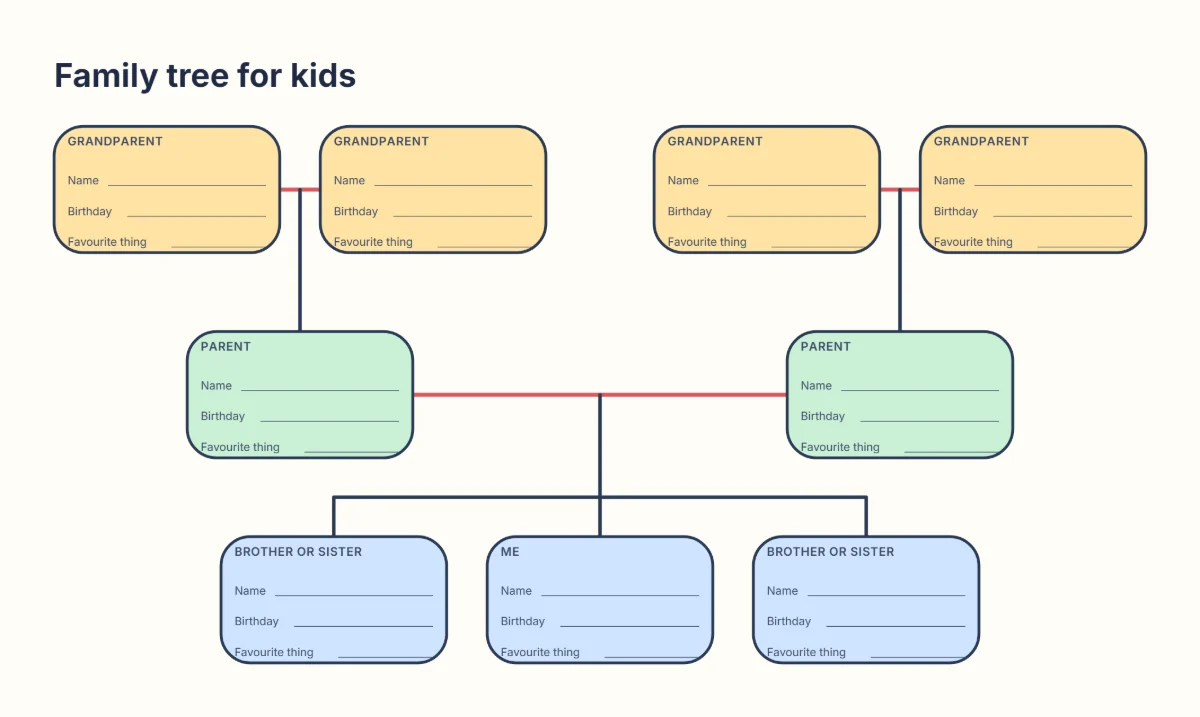
Family tree for kids
Me, brothers or sisters, parents and grandparents.
Famous family trees made with this tool
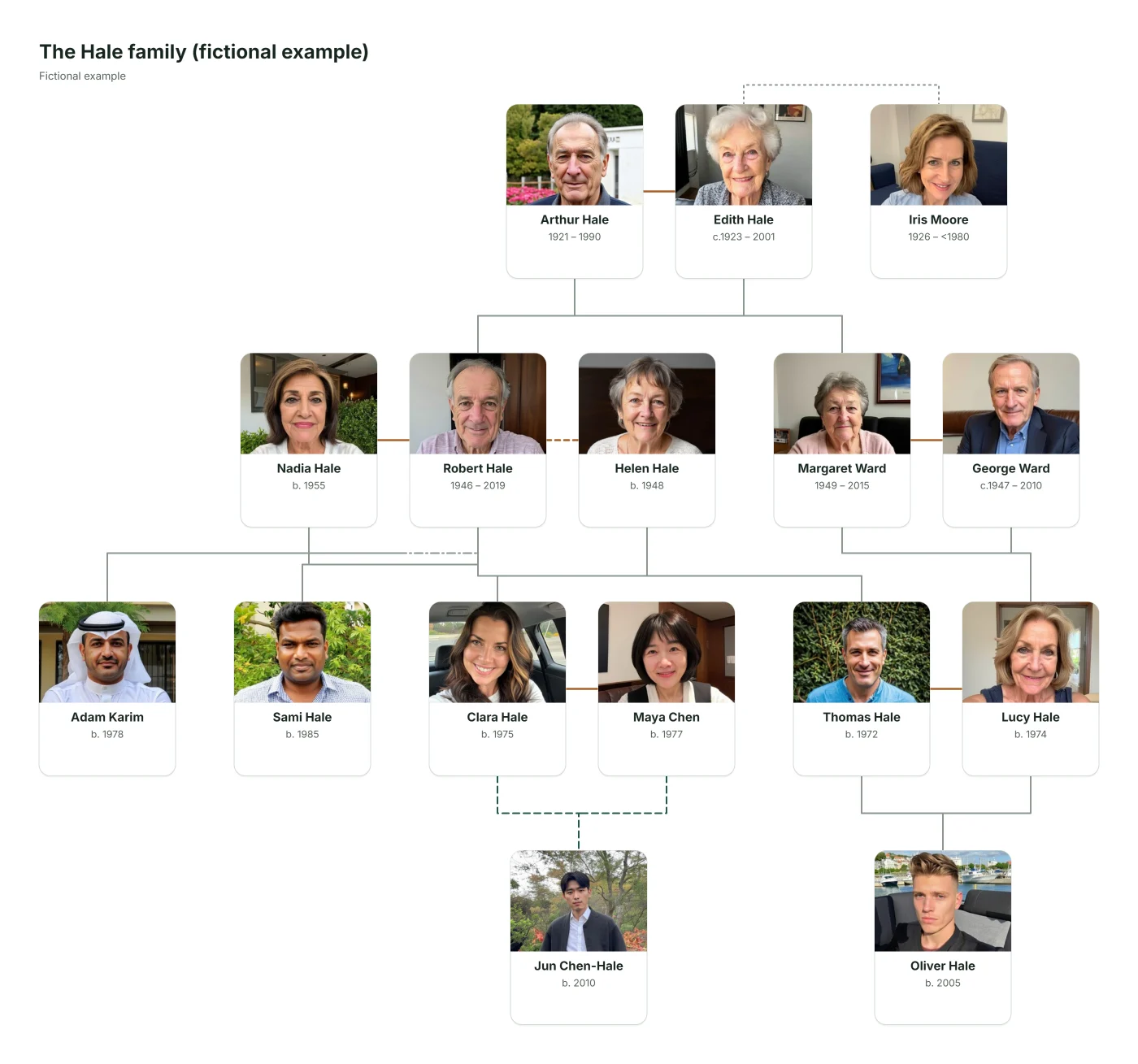
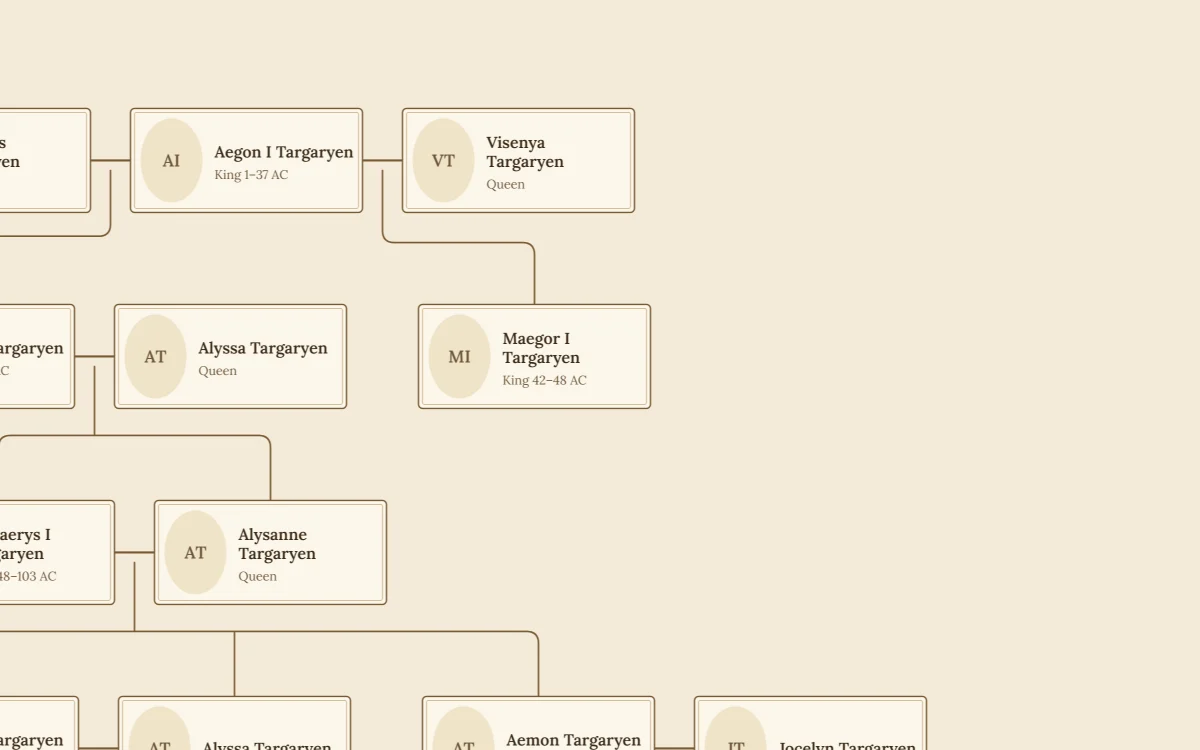
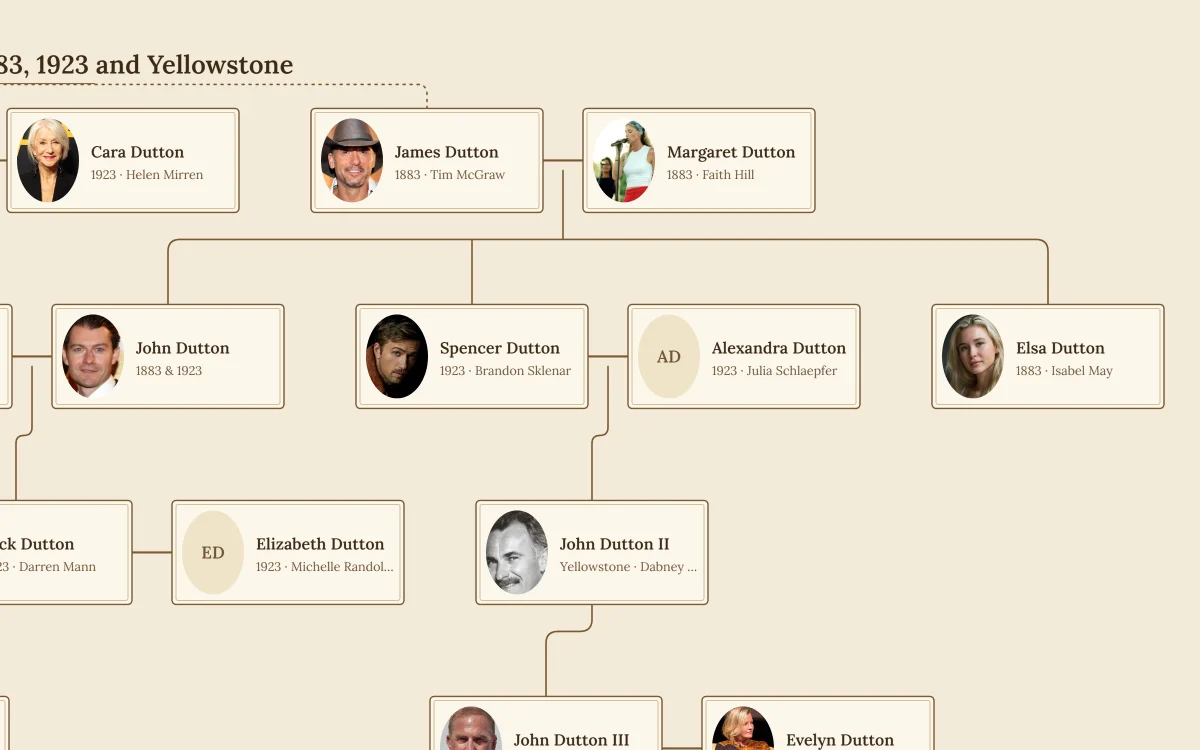
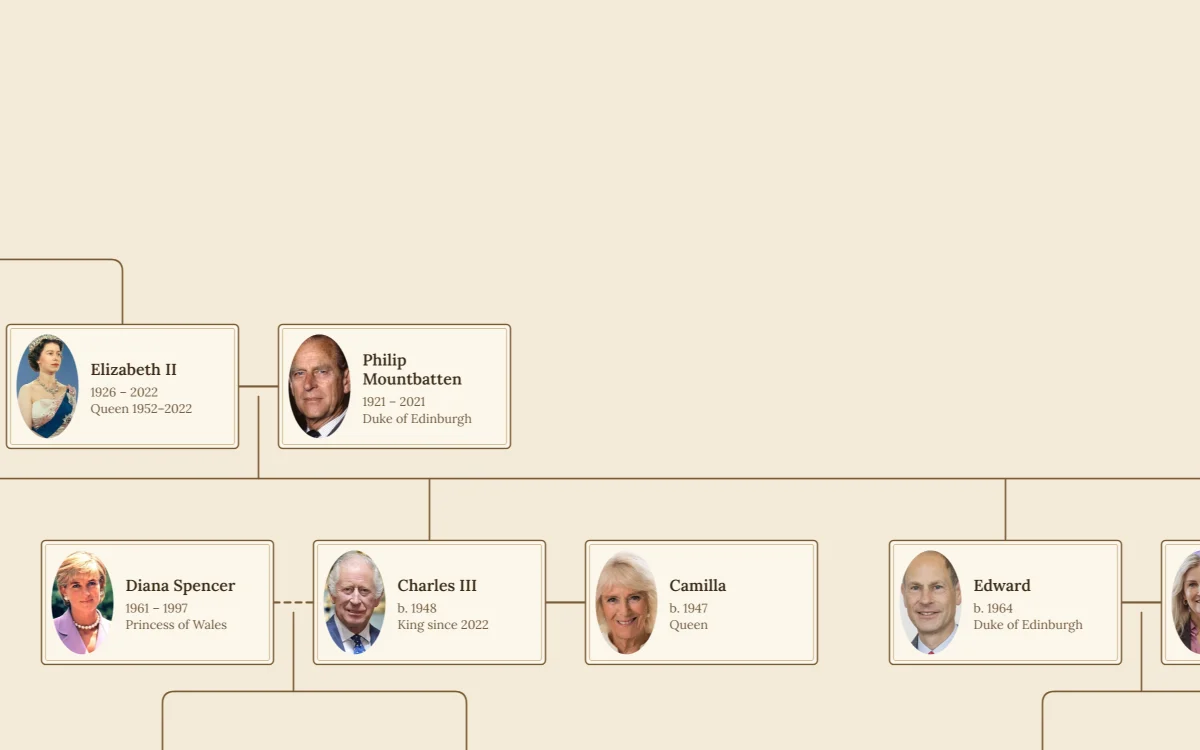
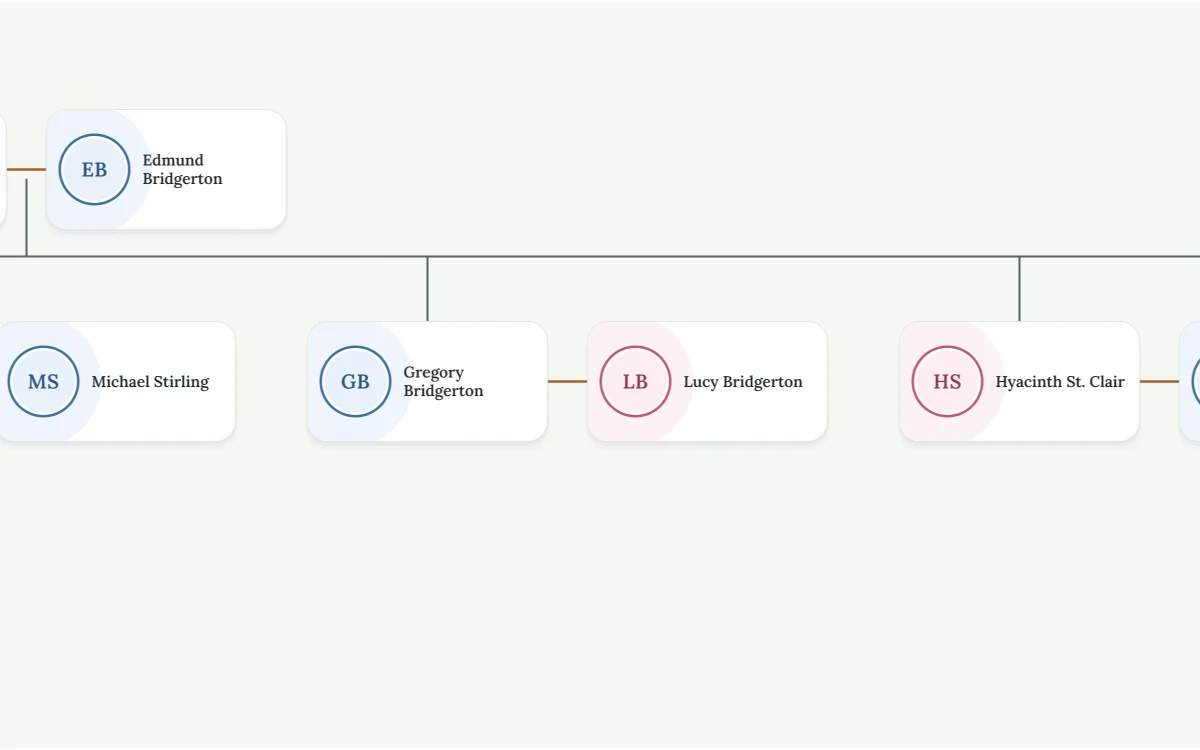
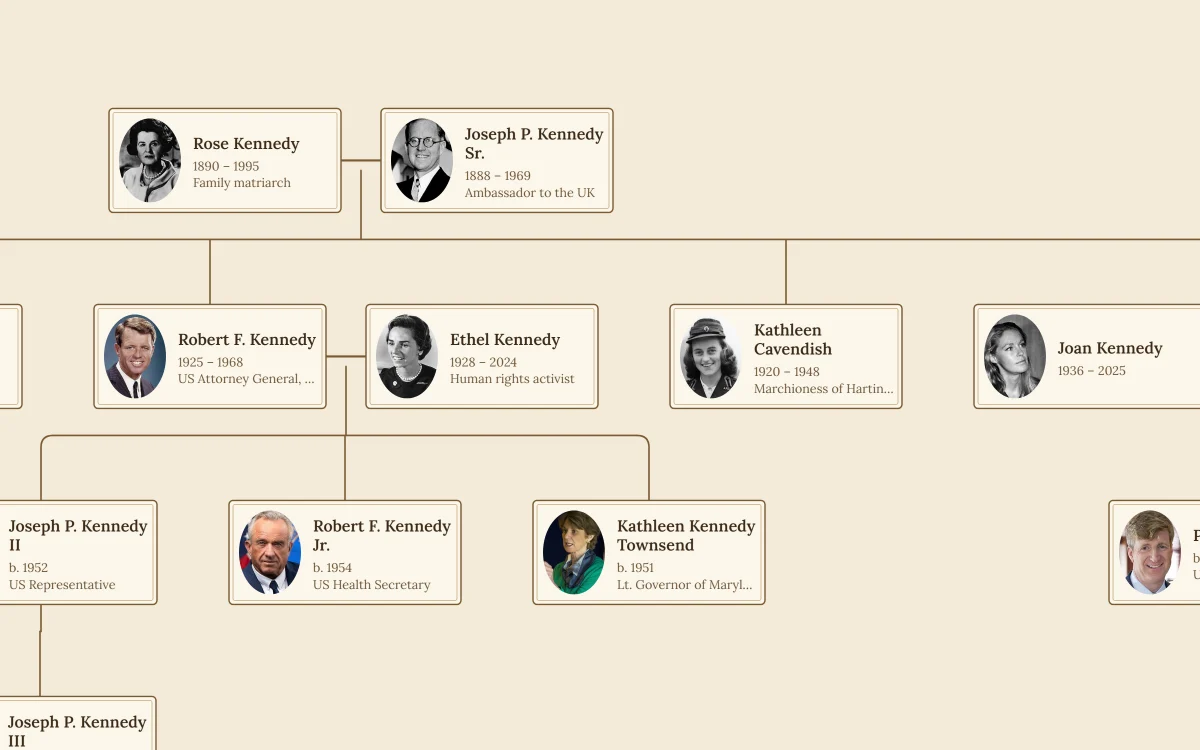
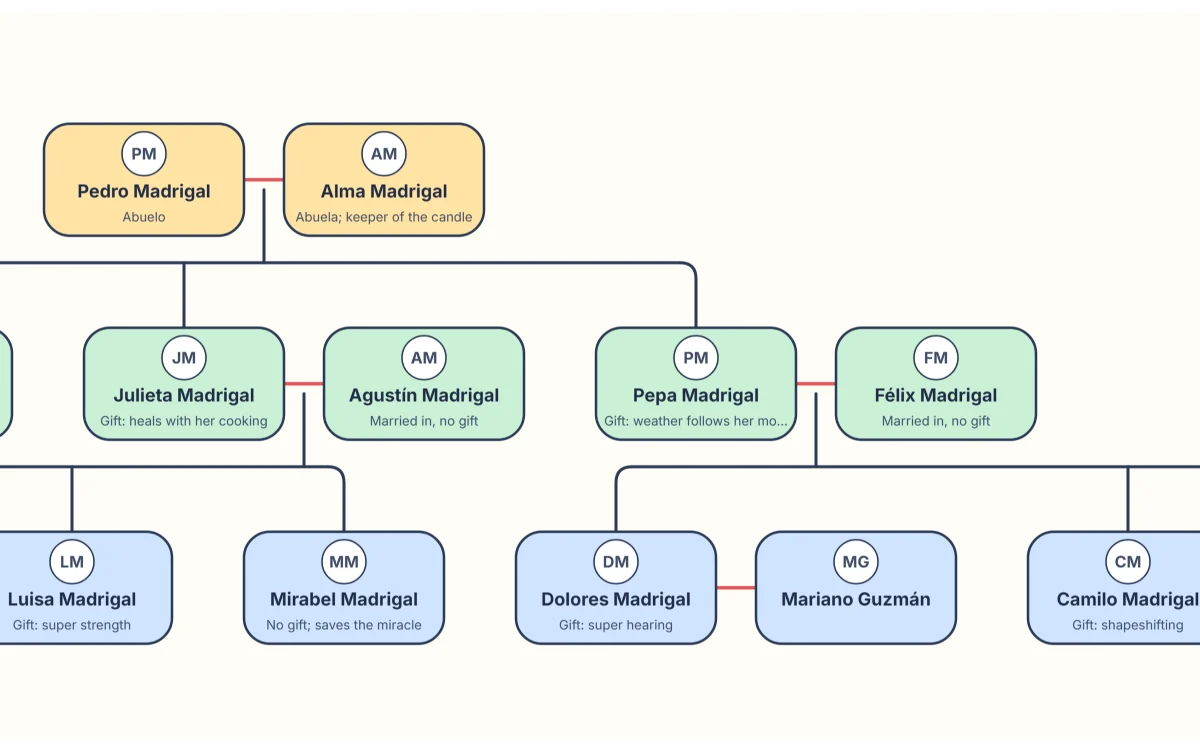
All famous family trees →See what a finished tree looks like with a family you already know. Each one is an ordinary tree in the editor: open it, zoom in, change the style or print it.
What is a family tree generator?
A family tree generator is a digital tool that turns the people and relationships you enter into a visual chart. Instead of drawing every box and line by hand, you record who is whose parent, partner or child, and the generator arranges everyone into a structured family diagram.
When you add two parents and their children, the generator draws them as one family group. As you add grandparents, cousins and in-laws, the tree expands. Each family’s line is drawn at its own height, so a half brother and a full brother are never confused on screen or on paper.
Because the drawing comes from the data, this family tree generator is also a family tree chart maker: the same people become a family chart, a pedigree chart, a fan chart or a framed photo keepsake, and you never have to redraw anything.
Build a family tree for any occasion
-
Family tree for school projects
A simple three-generation chart helps students understand generations and relationships. The family tree for kids has big boxes for drawings, and the school project guide has ideas for every age.
-
Family history and genealogy research
Organise the names, dates, places, life events and sources you find. Move your research between programs with GEDCOM files.
-
Family reunions and celebrations
Help relatives see how distant cousins and branches connect: print a large poster or play the family video.
-
Preserving family memories
Add photos, notes and stories that might otherwise be forgotten, and keep a complete backup file to pass on to the next generation.
-
Gifts and keepsakes
Design a framed family keepsake with portraits for an anniversary, a wedding, a birthday or a new baby, and print it at home or at a print shop.
-
Understanding complex relationships
Represent birth, adoptive, foster, step and guardian relationships thoughtfully, and get the right name for any two relatives with the relationship calculator.
What information should you include in a family tree?
Start with the information you know and add details as you research. A basic family tree may include:
- Full names, including birth surnames and other names people were known by
- Family relationships: parents, children, siblings, spouses and partners
- Birth dates and birthplaces
- Marriages and partnerships, including ones that ended
- Death dates and places, where applicable
- A photo of each person
- Occupations, life events, notes and the sources of your information
Not every field needs to be completed immediately; only a name is required. Avoid publishing sensitive personal details about living relatives without their permission.
Tips for building an accurate family tree
- Start with what you know. Record your immediate family first, then work outwards.
- Talk to older family members. Ask about names, places, relationships and stories while you can.
- Check historical records. Birth, marriage, death and census records confirm what memory suggests.
- Be careful with similar names. Compare dates and places before deciding two records are the same person.
- Record uncertain information. Use “abt” or “bet” dates and a note, instead of guessing.
- Keep your tree updated. Add discoveries, new partners and new generations as they arrive.
- Respect privacy. Ask before sharing details or photos of living relatives.
Where your family data is kept
Without an account, your tree and photos are saved only in this browser on this device. They are not uploaded. Clearing site data removes them, so download a backup now and then.
With an optional account, you choose which trees to copy to this website’s server so you can open them on other devices, keep version history, and invite relatives to view or edit.
Sharing is deliberate. A read-only link shows a preview first, hides living people by default, can expire, and can be turned off at any time.
Frequently asked questions about our family tree maker
How do I create a family tree online?
Select “Start my tree”, enter your name, then select your card and add a parent, partner, child or sibling. Every relative is added from someone already in the tree, so your family tree grows outwards and stays connected. You don’t need an account.
Is this family tree maker really free?
Yes. Building a tree, adding photos, the printable templates, PDF, image and video downloads, GEDCOM import and export and the optional account are all free. There are no paid plans. Downloads carry a small “Made with” credit line that you can switch off.
Do I need to sign up to make a family tree?
No. Your tree is saved automatically in your browser on this device. A free account is optional: it lets you open the tree on other devices, keep a version history and invite relatives to view or edit.
How do I make a family tree from scratch?
Write down the people you already know, start with yourself, add your parents and siblings, then work back one generation at a time. If you prefer paper, download a blank family tree template first and type it into the editor later.
What is the best way to build a family tree?
Begin with information you are sure of and work backwards one generation at a time, using conversations with older relatives, family documents and historical records. Note where each fact came from, so you can settle disagreements later.
Can I make my own family tree without design skills?
Yes. The family tree creator arranges the cards and draws the lines for you. You only type names and choose how people are related, then pick one of eight styles when you print or download.
How many generations should a family tree include?
There is no fixed number. Three generations suit school projects and gifts. Pedigree and fan charts can show 3 to 7 generations, and a full family tree can include everyone you have recorded.
What is the difference between a family tree and a pedigree chart?
A family tree shows a whole family: partners, children, brothers, sisters and cousins. A pedigree chart follows only one person’s direct ancestors: two parents, four grandparents, eight great-grandparents and so on. This tool makes both from the same data.
Can I create a family tree for a school project?
Yes. A three-generation family tree is a practical start for most assignments. The printable family tree for kids has big boxes for drawings, with inclusion and privacy tips for teachers and parents.
Can a family tree include adopted and stepfamily members?
Yes. Each parent link can be birth, adoptive, foster, guardian, step or unknown, and the kind is shown on the line. Adoptive parents are full parents in the tree, and a step-parent appears only if you add that link.
Can I add photos to my family tree?
Yes. Select a person and add a photo. It is resized in your browser, stored with your tree and included in PDF and image downloads unless you choose to hide it.
Can I print or download my family tree?
Yes. Download it as a PDF, PNG, JPEG or SVG on A4, US Letter, A3, A2, A1 or tabloid paper, on one page or tiled across several sheets, or as a short video of the tree. You can hide living people in any download.
How do I find information about my ancestors?
Talk to older relatives, look through family photos and documents such as birth, marriage and death certificates, then search census records, archives and genealogy databases. This website helps you organise what you find; it does not search records itself.
Is a family tree maker the same as an ancestry website?
Not quite. Ancestry websites also sell access to historical records, DNA tests and matches with other people’s trees. This family tree maker focuses on building, printing and sharing your own tree, and it reads and writes GEDCOM, the file format most genealogy programs use.
What if I don’t know all my relatives?
Start with the people you know and leave the rest blank. A child can have just one recorded parent, dates can be partial such as “Mar 1950” or “abt 1923”, and nothing is invented to fill the gaps.
Can I change my family tree after creating it?
Yes, at any time. Edit names and dates, add or remove relatives, move cards and merge people entered twice. Every change can be undone, and with an account each save keeps a version you can go back to.
Is my family tree private?
Without an account, your tree and photos stay in your browser and are not uploaded. With an account, only the relatives you invite can open your trees. Read-only share links hide living people by default and can be turned off at any time.
More answers about the editor are in Help. Researching further back? Read how to find your ancestors.
Free family tree tools
- Pedigree chart maker
One person’s ancestors, 3 to 7 generations, ready to print or frame.
- Fan chart maker
Your ancestors in a half circle, with repeated ancestors marked.
- Shajra nasab maker
An Urdu family tree with names shaped correctly on screen and in PDF.
- GEDCOM viewer
Open a .ged file from any genealogy program and read it in your browser, without uploading it.
- Relationship calculator
Count the generations to a shared ancestor and get the right name: second cousin, great-aunt, once removed.
Family tree guides
- How to make a family tree
What to collect first, recording complex families, and keeping a backup.
- How to find your ancestors
Questions for relatives, papers at home, and the records that name the most people.
- Family tree for a school project
Simple layouts, ideas for every age, and including every kind of family.
- How to print a family tree
Paper sizes, legibility and tiled printing for large trees.
- GEDCOM file guide
Moving a tree between programs, versions, photos and privacy.
Start creating your family tree today
Your family history is made up of people, relationships, memories and stories worth preserving. With our free family tree maker you can organise family connections and build a visual record of every generation. Whether you’re making a simple chart or documenting an extended family, start with one person and build from there.