How to print a family tree
Most printed family trees fail for one reason: the names are too small to read. This guide covers choosing a chart, picking a paper size that keeps names legible, and tiling a large tree across several sheets.
By the Family Tree Studio team · Published · Updated · Checked against the editor it describes
1. Choose what to print
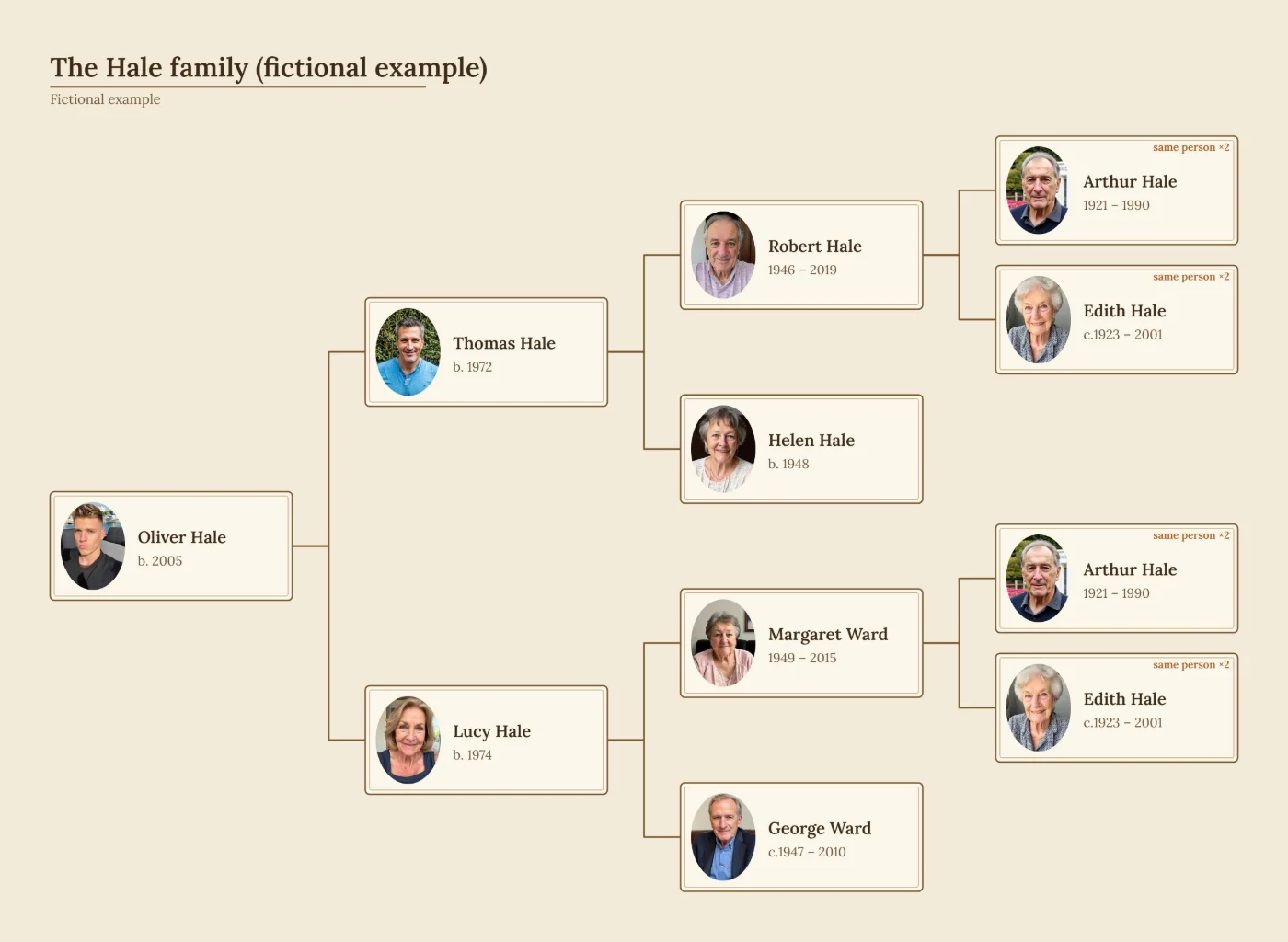
- Family chart: everyone, with partners and children side by side. Best for a whole family on one wall.
- Pedigree: direct ancestors of one person only. Compact and easy to read; good for research.
- Fan chart: the same ancestors in a half circle. Decorative and quick to scan.
- A branch: one person’s descendants or ancestors, when the whole tree is too big.
2. Pick a paper size that keeps names readable
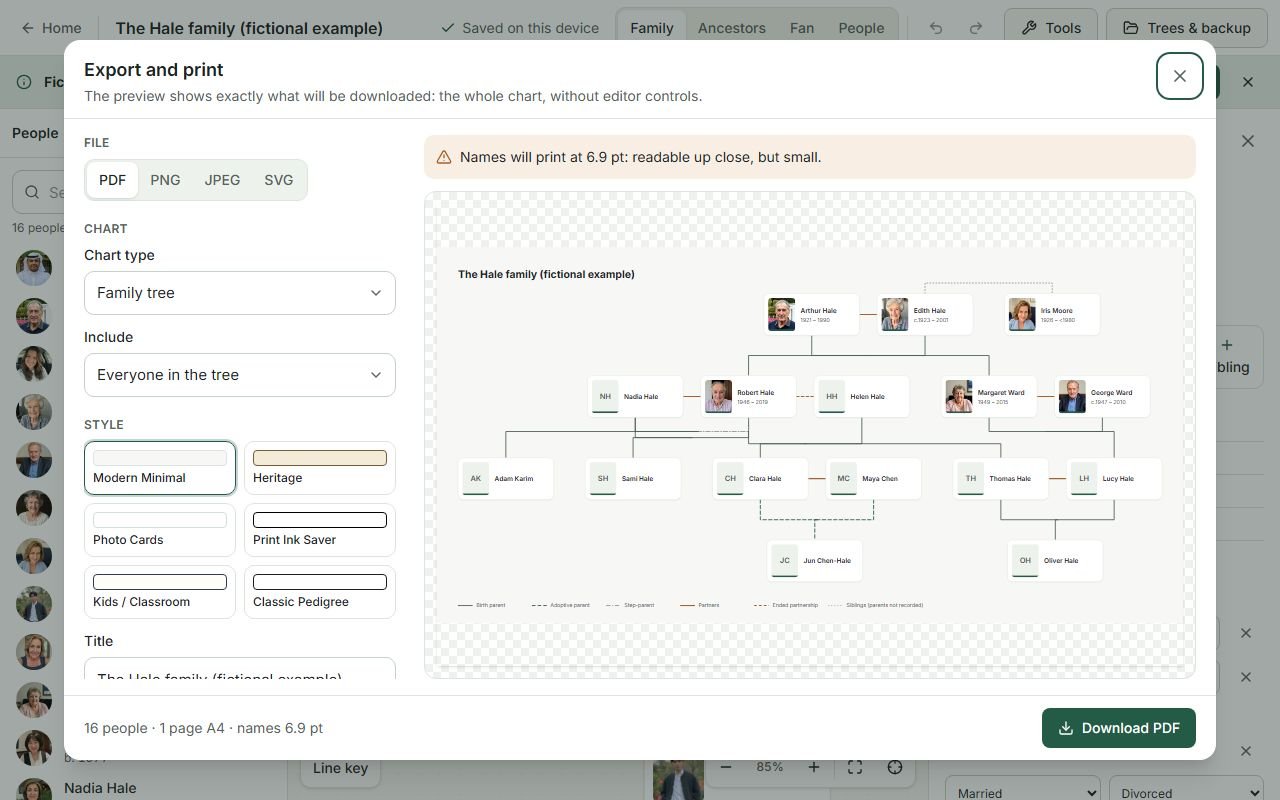
Aim for names printed at 9 points or larger; 6 points is the smallest most people can read without a magnifier. The export preview shows the size names will print at and warns below that limit.
| Paper | Size | Comfortable for |
|---|---|---|
| A4 / US Letter | 210 × 297 mm / 8.5 × 11 in | 3–4 generations, or about 15–20 people in a family chart |
| A3 / Tabloid | 297 × 420 mm / 11 × 17 in | A five-generation pedigree, or about 30–40 people |
| A2 / A1 | 420 × 594 mm / 594 × 841 mm | Large family charts for framing; usually a print shop |
These are rough guides: long names, many partners and photos all take space. Trust the preview’s name-size figure over the table.
3. Tile a large tree across pages
When a tree will not fit legibly on one sheet, choose Tile across pages in the PDF settings. The chart is split across several sheets of your chosen paper at a name size you set, with a 10 mm overlap and page numbers so the sheets can be trimmed and taped together. The export preview shows how many pages it will use before you print.
4. Printer settings that matter
- Print the PDF at 100% / actual size. “Fit to page” shrinks the chart and the tiling overlap stops lining up.
- Match the orientation in the print dialog to the PDF (the export chooses portrait or landscape automatically unless you set it).
- The ink-saver style prints with thin lines and no fills; the kids style is colourful but still readable in black and white.
- PDF pages are a high-resolution (200 dpi) image of the chart, which keeps Hindi, Urdu and other scripts correctly shaped. For a vector file with selectable text, export SVG.
5. Think about living relatives
A printed tree is easily photographed and shared. The export privacy options can hide living people completely, show names only, or reduce dates to years, and can leave out notes and photos. The filters are applied to the data before the chart is drawn, so hidden details are not in the file at all.
Printing a blank template instead
To fill a tree in by hand, download one of the blank templates: a blank family tree, a three-generation tree, a five-generation pedigree for A3, or a tree for kids.
Frequently asked questions
What size paper should I print a family tree on?
Up to 3–4 generations or about 20 people fit A4 or US Letter. A five-generation pedigree or 30–40 people need A3 or tabloid. Larger family charts look best on A2 or A1, printed at a print shop or tiled across several sheets.
How do I print a large family tree on several pages?
In the PDF settings choose “Tile across pages”. The chart is split across sheets of your paper size with a 10 mm overlap and page numbers, ready to trim and tape together.
Where can I print a family tree poster?
Any print or copy shop that prints posters can print the PDF on A2 or A1. Send the PDF at the paper size you chose and ask for it to be printed at 100% (actual size).
Why are the names on my printed family tree too small?
The chart was shrunk to fit the paper. Choose a larger paper size, tile across pages, print fewer generations, or a single branch. The export preview shows the printed name size before you download.
Can I print a family tree without photos to save ink?
Yes. Choose the Print Ink Saver style, which uses outlines only, or switch off “Include photos” in the privacy options.